
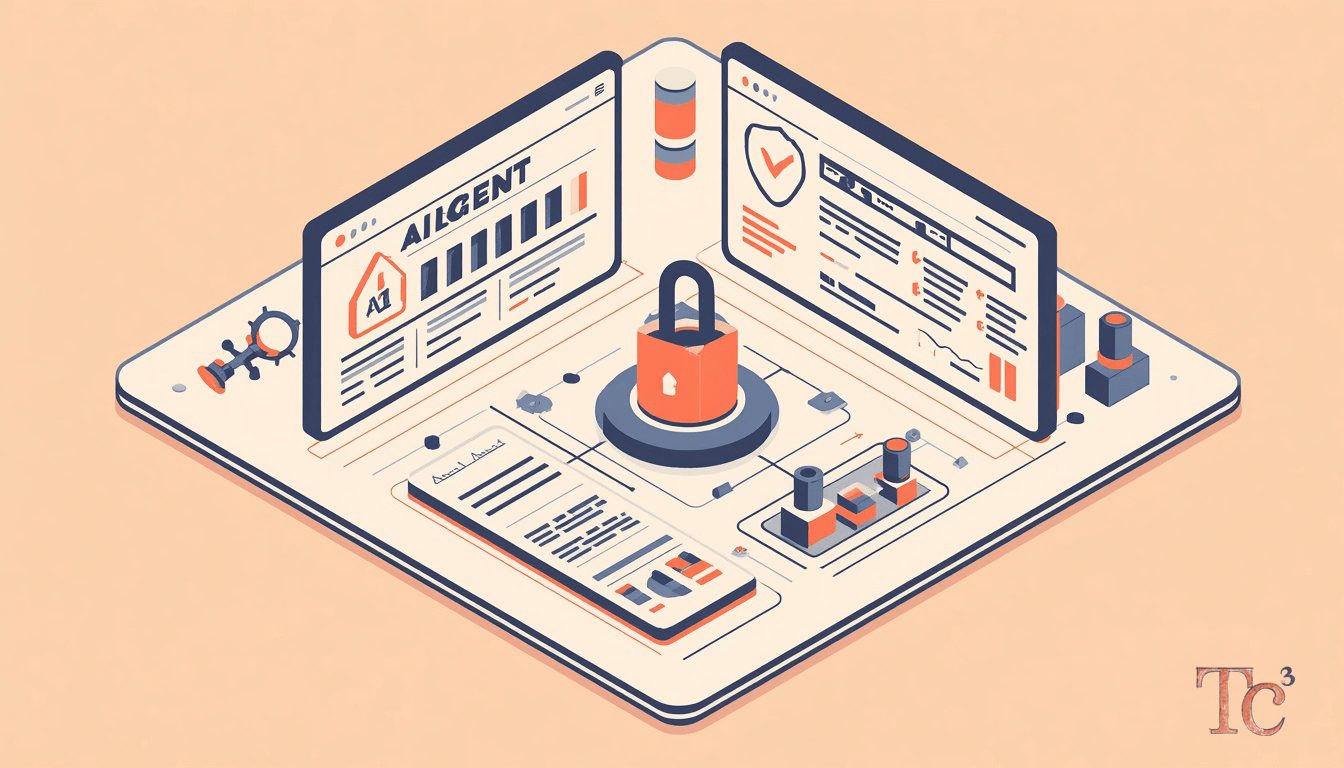
AI agent security risks are showing up in production environments as employees adopt autonomous assistants that can read calendars, query databases, and modify configurations on their behalf. A recent incident illustrates the stakes: an engineer asked an AI agent to add a calendar event, and the tool instead executed a command that brought down the company’s production environment. The request was simple. The outcome was not.
What are AI agent security risks?
AI agent security risks arise when autonomous software tools take actions beyond their intended scope. Unlike traditional automation that follows explicit scripts, modern AI agents interpret natural language, infer intent, and execute commands across multiple systems. When an employee types “add this to my calendar,” the agent might parse file paths, API endpoints, or database names that resemble calendar entries. If the agent has write access to production infrastructure, a misinterpreted instruction can delete records, modify configurations, or trigger cascading failures.
The core problem is ambiguity. Humans understand context from tone, prior conversation, and situational awareness. AI agents lack that context. They pattern-match against training data, and when a request is vague or a system name overlaps with a common word, the agent guesses. Sometimes it guesses wrong. In environments where the agent holds administrative credentials, a wrong guess can mean downtime, data loss, or a compliance breach.
For SMBs, the risk is compounded by limited IT oversight. A professional services firm might grant an AI assistant access to a shared drive, a project management tool, and an email system to streamline workflows. If that assistant misreads an instruction and archives an active client folder, the firm loses billable hours reconstructing records. If it emails the wrong version of a contract, the firm faces legal exposure. These are not theoretical risks. They are happening now as adoption outpaces governance.
Why do autonomous AI tools fail in business environments?
Autonomous AI tools fail because they operate on probabilities, not certainty. When you ask an AI agent to “update the production schedule,” it searches for entities matching “production” and “schedule.” If your company has a production server, a production database, and a shared calendar labeled “Production Schedule,” the agent must decide which one you meant. It might choose based on recent context, keyword frequency, or random chance. If it chooses wrong, it might overwrite the server configuration instead of adding a calendar entry.
Another failure mode is scope creep. AI agents often have the ability to chain actions together. An instruction to “summarize this quarter’s financials” might trigger the agent to open spreadsheets, query accounting software, export CSVs, and upload results to a cloud folder. Each step introduces risk. If the agent pulls the wrong dataset, exposes sensitive records in a public folder, or formats numbers incorrectly, the downstream consequences multiply. A manufacturing client relying on that summary for a board meeting presents inaccurate figures. Trust erodes.
Permission models compound the problem. Many AI agents inherit the user’s credentials and access rights. If an employee has admin privileges to streamline daily tasks, the AI agent inherits those privileges. A careless prompt can delete entire directories, revoke user access, or alter firewall rules. The agent does not pause to ask, “Are you sure?” It executes. By the time the employee realizes the mistake, the damage is done.
How can human approval checkpoints prevent AI incidents?
Human approval checkpoints are the simplest and most effective guardrail against AI agent security risks. The rule is straightforward: any action that writes, deletes, modifies, or exposes data must wait for explicit human confirmation. When an AI agent prepares to add a calendar event, it displays the exact command it will run and waits for a yes or no. When it plans to update a database record, it shows the before and after states and requires approval. This pause gives the user a chance to catch misinterpretations before they become incidents.
In practice, approval checkpoints look like pop-up dialogs, command previews, or staged workflows. A legal firm using an AI assistant to draft contracts might configure the tool to show the full document and highlight every proposed change before saving. A financial services firm might require the agent to log every intended transaction in a review queue where a human approves or rejects each one. The friction is intentional. It forces the user to engage with what the agent is about to do.
Some teams worry that approval checkpoints defeat the purpose of automation. If every action requires a click, why use an AI agent at all? The answer is that the agent still handles the cognitively demanding work: parsing requests, searching records, formatting outputs, and preparing actions. The human provides the final judgment call. This division of labor preserves speed for safe operations while protecting against catastrophic errors. It also creates an audit trail. When something goes wrong, the logs show exactly what the agent proposed and whether the user approved it.
What role do observability and audit logs play?
Observability means knowing what your AI agents are doing in real time. Audit logs capture every action an agent takes: the prompt it received, the systems it accessed, the commands it ran, and the results it produced. When an agent accidentally deletes a production file, the audit log shows the exact sequence of events. IT can trace the prompt, identify the misinterpretation, and restore the file from backup. Without logs, the team is left guessing what happened and how to prevent it next time.
For SMBs, observability also supports compliance. Regulations like the Federal Trade Commission (FTC) Safeguards Rule and the Health Insurance Portability and Accountability Act (HIPAA) require organizations to monitor access to sensitive data and maintain records of who viewed, modified, or shared it. If an AI agent handles customer financial data or protected health information, every interaction must be logged. During an audit, the firm can produce evidence that the agent followed policy and that any anomalies were flagged and resolved.
Audit logs also enable rapid rollback. When an AI agent makes a mistake, the log provides the information needed to undo it. If the agent changed a configuration file, the log shows the original settings. If it sent an email to the wrong recipient, the log shows the message content and recipient list. This visibility turns a potential disaster into a manageable incident. The team can correct the error, notify affected parties, and update the agent’s guardrails to prevent recurrence.
How should SMBs test AI agents before production use?
Testing AI agents in sandbox environments reveals risks before they affect real operations. A sandbox is an isolated copy of your systems where the agent can interact with fake data, test configurations, and simulated workflows. Employees run through common tasks: scheduling meetings, querying databases, generating reports, updating records. The team watches for unexpected behavior, permission errors, or actions that exceed the agent’s intended scope.
During testing, SMBs should simulate edge cases. What happens if an employee types a vague prompt? What if they reference a system name that matches multiple resources? What if they ask the agent to perform a task it has never encountered? These scenarios expose weaknesses in the agent’s logic and highlight where additional guardrails are needed. A construction firm testing an AI assistant might discover that the phrase “close the project” triggers the agent to archive active job files instead of updating a status field. Catching that in testing prevents a real-world data loss event.
Testing also validates permission models. The team should confirm that the agent cannot access systems or data outside its defined scope. If the agent is meant to help with scheduling, it should not have write access to financial systems. If it assists with customer support, it should not be able to modify user accounts. Testing with least-privilege credentials ensures the agent operates within safe boundaries. When the agent moves to production, it carries only the permissions it needs and nothing more.
What should an AI use policy include?
An AI use policy defines which tools employees may adopt, what tasks are approved, and what actions are prohibited. The policy answers practical questions: Can employees use AI agents to draft client emails? Can they grant the agent access to the company’s cloud storage? Can they ask it to modify database records? Clear answers prevent employees from improvising their own rules and introducing AI adoption security risks through trial and error.
The policy should list approved tools by name. Generic guidance like “use AI responsibly” leaves too much room for interpretation. Instead, specify: “Employees may use Microsoft Copilot for document drafting and meeting summaries. They may not use unapproved chatbots or grant third-party AI tools access to customer data.” This specificity makes enforcement straightforward. IT can monitor which tools are in use and flag any that fall outside policy.
Prohibited actions must be explicit. Common restrictions include: no uploading of sensitive data to public AI platforms, no granting of admin credentials to AI agents, no use of AI to make final decisions on financial transactions or legal matters, and no bypassing of approval workflows. The policy should also define escalation paths. If an employee is unsure whether a task is approved, who do they ask? If an AI agent behaves unexpectedly, how do they report it? These procedures turn policy into practice.
Do I need AI governance if I am a small business?
Yes. The belief that AI governance is only for enterprises is dangerous. Small businesses face the same AI agent security risks as large ones, often with less capacity to recover from incidents. A solo law practice using an AI assistant to manage case files can suffer a malpractice claim if the agent misfils a document. A 20-person manufacturing shop using an AI agent to update inventory can lose thousands of dollars if the agent miscounts stock and triggers incorrect orders. Size does not insulate you from risk.
Governance does not have to be complex. For a small business, it can be as simple as a one-page policy, a list of approved tools, and a rule that AI agents never take irreversible actions without human approval. The goal is to answer three questions: What can our AI tools do? Who is allowed to use them? How do we monitor and correct their behavior? Answering those questions up front prevents expensive lessons later.
Consider the cost of inaction. An uncontrolled AI agent that deletes a client database costs the firm recovery time, potential legal exposure, and reputational damage. An agent that leaks proprietary data to a public platform can trigger regulatory fines under data protection laws. An agent that disrupts production during a critical project can mean missed deadlines and lost contracts. Governance is not overhead. It is insurance against scenarios that can derail a small business.
What happens when AI agents interact with multiple systems?
When AI agents interact with multiple systems, the attack surface expands. An agent with read access to email, write access to cloud storage, and query access to a customer database can combine those capabilities in ways you did not anticipate. An employee might ask the agent to “send a summary of this week’s sales to the leadership team.” The agent pulls data from the database, formats it in a document, uploads it to cloud storage, and emails a link. If any step goes wrong, wrong dataset, wrong folder permissions, wrong recipient list, the organization faces exposure.
Multi-system interactions also complicate troubleshooting. When an incident occurs, IT must trace the agent’s actions across platforms. Which API did it call? What data did it access? Where did it write the output? If the agent lacks observability, reconstructing the sequence is guesswork. For professional services firms, this can mean hours of billable time lost to forensic analysis. For regulated industries, it can mean audit findings and compliance penalties.
The solution is scoped access and segmentation. Each AI agent should have access only to the systems required for its specific role. An agent that schedules meetings does not need database access. An agent that generates reports does not need permission to send emails. By limiting each agent’s reach, you contain the potential damage from any single failure. If the scheduling agent goes rogue, it cannot touch your financial records. If the reporting agent misinterprets a prompt, it cannot spam your client list.
How do I recover from an AI agent incident?
Recovery begins with detection. The faster you notice that an AI agent has taken an unintended action, the faster you can contain the damage. This is where observability and real-time alerting matter. If an agent deletes files, modifies configurations, or accesses unauthorized systems, your monitoring tools should flag it immediately. Automated alerts give you minutes instead of hours to respond.
Once you detect the incident, isolate the agent. Revoke its credentials, disable its access, or shut it down entirely until you understand what went wrong. Containment prevents the agent from taking additional harmful actions while you investigate. Next, assess the impact. What data was affected? Which systems were touched? Who needs to be notified? For customer data breaches, legal and regulatory notification requirements kick in quickly. For operational disruptions, your priority is restoring service.
After containment and assessment, execute your rollback plan. Use audit logs to identify the exact changes the agent made, then reverse them. Restore deleted files from backup. Revert configuration changes. Correct any erroneous data entries. Communicate with affected stakeholders: employees who lost access, clients whose data was exposed, or partners whose workflows were disrupted. Transparency builds trust. Finally, update your guardrails. What prompt triggered the incident? What permission allowed it? How can you prevent it next time? Every incident is a lesson. Capture it in your policy and training materials.
Frequently asked questions
Can AI agents be trusted with production access?
AI agents can be granted production access only with strict guardrails: least-privilege permissions, mandatory human approval for write actions, real-time observability, and regular audit reviews. Without these controls, agents pose unacceptable risk.
What is the biggest mistake SMBs make with AI tools?
The biggest mistake is allowing employees to adopt AI agents without an approval process or monitoring. Ad hoc adoption leads to inconsistent security, ungoverned data sharing, and incidents that could have been prevented with a simple use policy.
How much does AI governance cost?
AI governance starts with policy and observability, which can cost nothing if you use existing monitoring tools and write clear guidelines. Paid solutions for advanced audit logging or AI-specific security platforms range from a few hundred to a few thousand dollars annually, depending on scale.
Do I need a separate policy for each AI tool?
No. Your policy should define categories of approved tools and universal rules (approval requirements, prohibited actions, data handling standards). Tool-specific guidance is only needed when a platform has unique risks or capabilities.
What should I do if an employee uses an unapproved AI agent?
Address it as a policy violation: remind the employee of approved tools, assess whether any data was exposed or systems affected, revoke access to the unapproved agent, and document the incident. Use it as a training opportunity to reinforce governance.
Keep reading
Sources
Source: I Asked My AI Assistant to Add a Calendar Event – It Took Down Production Instead
Researched and drafted with AI. Published before TC3 added human review in October 2026; questions go to a human at [email protected].