
Cyber Awareness Dad Jokes '26
31 days. 31 groan-worthy jokes. 31 lessons that keep a small business out of trouble.
A new one every morning at 8 AM Eastern, all October long, from Ron Trotto at TC³.
Wrapped Up
Why did the mummy's server get hacked? It was all wrapped up in legacy software.
Software past its end of support never gets another security fix. Know which systems are out of support and put a date on replacing each one.

Inbox Fishing
What's a hacker's favorite fishing spot? Your inbox. No license, no boat, and the fish click on their own.
The lesson
One click on a fake login page can hand over the keys to your whole email system. Train your team to stop and verify any message that pushes urgency, money, or a password reset.

Fluffy Knows
Why did Ron switch to passkeys? Because 'Fluffy2019' wasn't fooling anybody. Not even Fluffy.
The lesson
Pet names and birthdays are the first guesses attackers try, and reused passwords turn one leak into ten. A password manager or passkeys closes that door for every account at once.
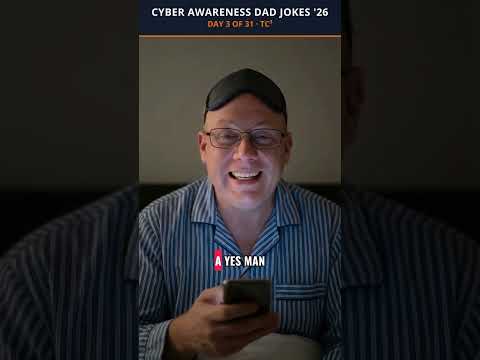
Yes Man
What do you call an employee who approves every login request on their phone? A yes-man-in-the-middle.
The lesson
Attackers with a stolen password spam approval prompts until someone taps yes just to make it stop. Use number matching, and teach staff that a prompt they didn't start means call IT, not approve.

Remind Me Tomorrow
Why did the laptop go to the doctor? It had a chronic case of 'remind me tomorrow.'
The lesson
Many attacks walk through holes that already have a fix waiting. Set updates to install automatically and check monthly that they actually did.

Needs Space
Why did the backup break up with the server? It needed space. Three copies of space, actually.
The lesson
Keep three copies of your data, on two kinds of storage, with one offline or offsite. Then test a restore, because a backup nobody has restored is just a hopeful guess.

Parking Lot Prize
What did the USB stick in the parking lot say? 'Plug me in, I'm harmless.' Famous last words.
The lesson
Dropped drives are an old trick because curiosity still works. If you find one, hand it to IT unopened, and never plug an unknown device into a work computer.

Help Yourself Desk
The 'IT guy' on the phone said he was from the help desk. Turns out he was from the help-yourself desk.
The lesson
Real IT support will never ask for your password or an MFA code. Hang up and call back on a number you already know.

Boss Voice
Why don't deepfake bosses ever call twice? Because the moment you call back on the real number, they lose their voice.
The lesson
Cloned voices are good enough to fool a bookkeeper in a hurry. Any request to move money or share credentials gets verified on a known number, no matter how familiar the voice sounds.

Makeover Mistake
Why did the client spreadsheet feel so exposed? Somebody pasted it into a free chatbot to make it prettier.
The lesson
Free AI tools may keep what you paste in, including client names and financials. Give your team an approved AI tool and a simple rule about what never goes into the others.

Tall Tales
Why would a chatbot make a great fisherman? It tells stories about the one that got away with total confidence.
The lesson
AI writes fiction in the same calm tone it writes fact. Check every number, name, and citation before it goes to a client, because they'll hold you to it, not the bot.

Time Out
Why did the AI assistant get sent to time out? It had access to everything and asked permission for nothing.
The lesson
An AI tool connected to email, files, and payments can do real damage with one bad instruction. Give it the least access that gets the job done, and keep a human on anything that spends money.

Friendly Meter
Why was the QR code on the parking meter so friendly? It really wanted to meet your credit card.
The lesson
Scammers stick fake QR codes over real ones on meters, menus, and invoices. Type the address yourself or use the official app when money is involved.

New Bank Who
My vendor emailed to say they changed banks. I said funny, you also changed how you spell your own name.
The lesson
One changed account number on a real-looking invoice can send a month of payments straight to a scammer. Confirm any change to payment details by calling a number you already have on file.
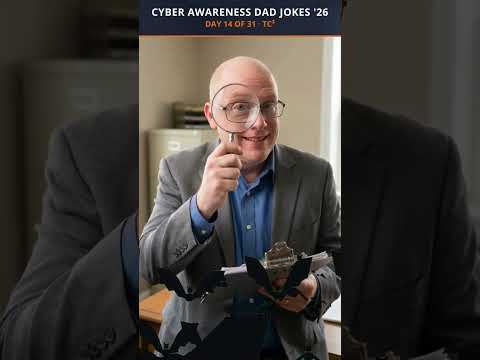
Prove It
Why did the insurance adjuster bring a magnifying glass? To find the MFA you swore you had.
The lesson
Insurers now ask for proof of controls like MFA and backups, and a wrong answer on the application can sink a claim. Make sure what you told them matches what is actually turned on.
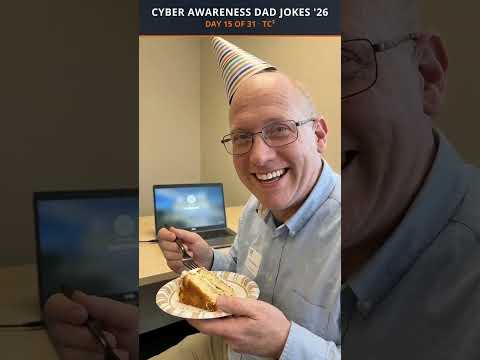
Still Logged In
Why does the guy who quit last spring still come to every meeting? Nobody turned off his account, so technically he never left.
The lesson
Former staff with live logins are an open door, whether they mean harm or not. Build a same-day offboarding checklist for email, apps, shared files, and door codes.

Leaky Printer
Why was the office printer brought in for questioning? It had a long history of leaking documents.
The lesson
Printers, cameras, and smart TVs sit on your network with default passwords and old software. Change the defaults, update them, and keep them off the network your accounting lives on.

Catering Entrance
Why do hackers love your vendors? It's easier to walk in through the caterer's door.
The lesson
Your data is only as safe as the vendors who can reach it. Ask your key vendors how they protect access to your systems, and cut off the ones who can't answer.

Where to Panic
Why did the company tape its incident response plan to the break room fridge? So everyone would know exactly where to panic.
The lesson
A plan you have never practiced turns into a group text at 2 a.m. Write down who calls whom, keep a copy off the network, and walk through it once a year.

Taxi Trouble
Why wasn't Ron worried when he left his laptop in a taxi? It was encrypted. The only thing he lost was his dignity.
The lesson
A lost laptop without encryption can turn into a reportable data breach. With full disk encryption turned on, it's just an expensive inconvenience.

We Just Know
Why did the auditor ask for the security policy in writing? Because 'we just kind of know' isn't a document.
The lesson
Clients, insurers, and auditors ask for written policies, not good intentions. A short, honest set of written rules wins deals and speeds up every questionnaire.

Lost and Found
What's the difference between a lost phone with a screen lock and one without? About three business days of damage control.
The lesson
Phones hold email, MFA apps, and client texts. Require a screen lock and remote wipe on every device that touches company data.
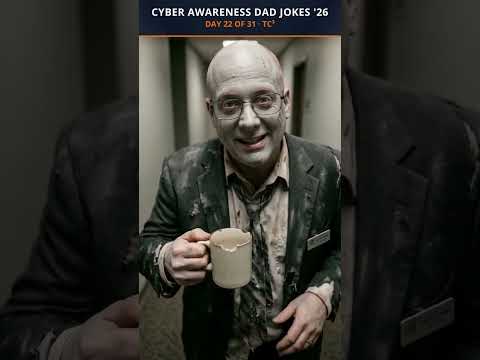
Zombie Accounts
Why are zombie accounts so dangerous? They never log off, and they're always hungry for data.
The lesson
Old accounts for former staff, test logins, and forgotten services are easy targets because nobody watches them. Review every account quarterly and delete what nobody owns.

Ghost Apps
What do you call software nobody in IT knows about? A ghost app. You can't see it, but it can definitely see you.
The lesson
Every app someone signs up for with a work email is another place your data lives. Keep a list of approved apps and ask staff to check before they add one.

Wrapped Up
Why did the mummy's server get hacked? It was all wrapped up in legacy software.
The lesson
Software past its end of support never gets another security fix. Know which systems are out of support and put a date on replacing each one.
Unlocks Oct 25
Unlocks Oct 26
Unlocks Oct 27
Unlocks Oct 28
Unlocks Oct 29
Unlocks Oct 30
Unlocks Oct 31
The jokes are free. So is a 15-minute cyber check-in.
If one of these landed a little too close to home, let's talk. You get a straight answer about where your business stands, and no sales pitch.
About these videos: Ron's likeness and voice are AI-generated, with his permission. The jokes and the advice are human-written and human-approved.